

Managing rental properties without an organized system is a slow drain on your time and money. Most self-managed landlords discover this the hard way: a missed HVAC filter change leads to a $4,000 compressor replacement, or a warranty claim gets denied because there's no service record on file. A solid diy property maintenance tracking setup changes that pattern. This article walks you through exactly what to prepare, how to build your tracking log, how to keep it accurate over time, and how to fix the gaps that trip up most DIY landlords. No over-engineered software required.
Table of Contents
- Key takeaways
- What you need before your diy property maintenance tracking setup begins
- How to build your maintenance tracking log from scratch
- Keeping your system accurate and up to date
- Troubleshooting your tracker when it stops working
- My honest take on DIY maintenance tracking
- Ready to go beyond manual tracking
- FAQ
Key takeaways
| Point | Details |
|---|---|
| Start with an inventory | List every property system and appliance with model, age, and warranty before building your log. |
| Structure your log with the right fields | Track date, category, cost, parts used, and next due date to turn records into useful data. |
| Organize tasks by frequency | Group maintenance into monthly, quarterly, seasonal, and annual categories to reduce missed tasks. |
| Review the log every quarter | A quarterly review catches overdue items before they become expensive emergency repairs. |
| Log every event, not just big repairs | Small tasks documented consistently create the knowledge trail that protects warranty and insurance claims. |
What you need before your diy property maintenance tracking setup begins
Jumping into a tracking system before you have the right inputs is one of the most common mistakes DIY landlords make. You end up with a log that's half-empty, inconsistent, and abandoned within two months. The preparation stage is what separates a system that lasts from one that doesn't.
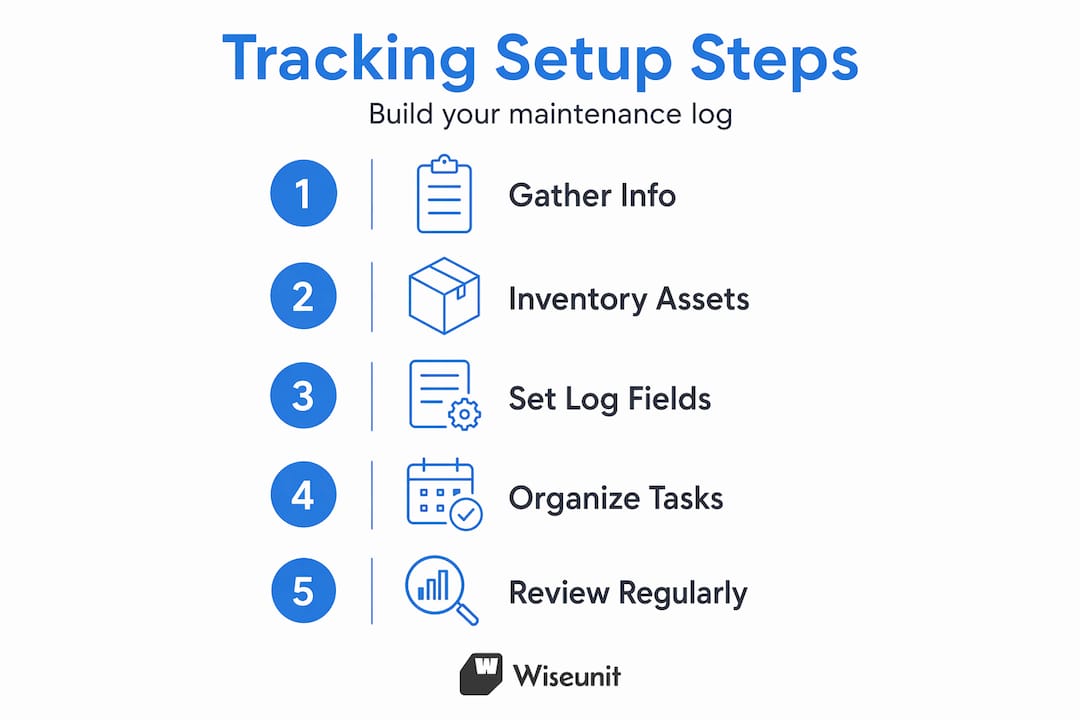
The tools you need
You have three realistic options for your tracking format, and each one has a legitimate use case:
- Spreadsheet (Google Sheets or Excel): Best for landlords managing two to ten units. Free, flexible, easy to filter and sort. You can highlight overdue tasks by date and share access with a contractor.
- Dedicated maintenance app: Apps that store appliance warranty info alongside service history and send reminders work well for landlords who prefer mobile access over desktop.
- Paper notebook or binder: Acceptable for a single property, but difficult to search and easy to lose. Only recommended as a backup.
For most self-managed landlords, a spreadsheet is the right starting point. It costs nothing, scales to multiple properties, and can be upgraded later.
The information you need to gather first
Before you log a single task, collect the following for every unit:
- Make, model, and serial number for HVAC, water heater, appliances, and electrical panel
- Purchase or installation date and expected service life
- Warranty expiration dates and manufacturer contact information
- The last known service date for each system (check old receipts, tenant records, or prior inspection reports)
Pro Tip: Take a photo of every appliance data plate and store it in a shared folder labeled by unit number. This single habit saves hours of hunting when a system fails and you need the model number fast.
Here's a quick reference for what to gather and where:
| Category | Information to collect | Where to find it |
|---|---|---|
| HVAC system | Model, serial, filter size, last service date | Equipment label, old invoices |
| Water heater | Model, age, capacity, warranty end date | Label on tank |
| Appliances | Brand, model, purchase date | Owner's manual, receipts |
| Roof | Material type, installation year | Prior inspection report |
| Plumbing | Known issues, shutoff valve locations | Walk-through notes |
How to build your maintenance tracking log from scratch
Once your inventory is ready, you build the log. The structure of your log determines how useful it will be six months from now. A practical DIY maintenance tracker works as a spreadsheet with fields that capture both what happened and what needs to happen next. That distinction matters more than most people realize.
Setting up your core log fields
Every entry in your log should include these fields:
- Date completed: The actual date the work was done, not the date you logged it.
- Property and unit: Critical if you manage more than one property.
- Category: HVAC, plumbing, electrical, exterior, appliance, pest control, etc.
- Task description: Be specific. "Replaced furnace filter (1-inch, MERV 8)" beats "changed filter."
- Performed by: Your name, a specific vendor, or a contractor's business name.
- Cost: Parts plus labor. Zero is a valid entry for DIY tasks with no parts cost.
- Parts used: Brand, part number, and quantity. This matters for warranty claims and reorders.
- Receipt or invoice reference: A file name or folder path where the receipt is stored.
- Next due date: When this task needs to happen again.
- Notes: Findings, observations, or flags for follow-up.
Capturing receipt references in your log is one of the highest-return habits you can build. Insurance adjusters and warranty departments ask for proof of service, and having a reference number pulls up documentation in seconds.
Organizing tasks by frequency
Grouping maintenance tasks by time interval is what makes your property upkeep checklist actually usable. It reduces decision fatigue and prevents the "I know I need to do something but can't remember what" paralysis that kills most DIY systems.
Use four tabs or sections in your log:
- Monthly: HVAC filter checks, smoke detector tests, visual inspection of high-use areas
- Quarterly: Exterior walk-around, gutters, pest inspection, water heater flush
- Seasonal: HVAC tune-up, weatherstripping, sprinkler blow-out, roof inspection
- Annual: Full appliance inspection, chimney cleaning, electrical panel check, carpet deep clean
Pro Tip: Set a recurring calendar event titled "Property Log Review" on the first day of each month. Even a 10-minute check prevents small items from aging into big problems.
Choosing between paper, spreadsheet, and app

| Format | Best for | Downside |
|---|---|---|
| Paper binder | Single property, low volume | Hard to search, no reminders |
| Google Sheets | 2-10 units, moderate tech comfort | Manual entry, no auto-reminders |
| Maintenance app | Mobile-first landlords, appliance tracking | Monthly cost, learning curve |
| Work order system | 10+ units, vendor management | Overkill for solo landlords |
If you manage more than five units, look into structured multifamily work order systems that support status tracking and vendor assignment. The added structure pays off when you are coordinating multiple contractors across multiple properties.
Keeping your system accurate and up to date
Building the log is the easy part. The harder part is staying consistent. Consistent maintenance logging is what separates landlords who avoid expensive surprises from those who spend an average of $8,808 per year reacting to them.
Best practices for ongoing log maintenance
- Log every event within 24 hours. Memory degrades fast. A same-day entry takes two minutes; a week-later entry takes ten and is less accurate.
- Use status fields for open repairs. Track every unresolved issue as Open, In Progress, or Completed. Status-based tracking prevents repairs from falling through the cracks and helps you spot bottlenecks.
- Attach digital receipts immediately. Scan or photograph invoices and name the file consistently: "2026-03-15_HVAC_Unit4_Invoice.pdf". You will thank yourself at tax time.
- Store warranty documents next to appliance records. A maintenance tracking system works best as a combined evidence and operations tool, not just a to-do list.
Quarterly review process
A quarterly review of your log is one specific habit that most DIY landlords skip, and it shows up as deferred maintenance and budget surprises. Block 30 minutes every three months and check for:
- Tasks with a "next due date" that has already passed
- Open or In Progress items that have not moved in more than 30 days
- Any system that has not had a logged entry in over six months
- Upcoming warranty expirations that need documented service before they lapse
Pro Tip: Color-code overdue tasks in red and upcoming tasks in yellow using conditional formatting in Google Sheets. It takes five minutes to set up and turns your review into a scan instead of a search.
Troubleshooting your tracker when it stops working
Most DIY maintenance trackers don't fail at setup. They fail gradually. A few missed entries, a skipped review, and suddenly the log is two months behind and feels too overwhelming to catch up. Here's how to address the specific problems that cause that pattern.
-
Manual entry fatigue. If logging feels like too much work, your fields are probably too detailed for your volume. Strip your log back to six core fields: date, unit, task, cost, next due date, and notes. You can always add detail later.
-
Multiple properties with no clear separation. Use separate tabs per property in a single spreadsheet, not separate files. One file is easier to review; separate tabs keep data clean.
-
Missing model or warranty information. If you can't find documentation for an older system, call the manufacturer with the serial number. Most companies can pull installation and warranty records. If all else fails, log the gap and flag it for your next vendor visit.
-
Vendor accountability gaps. When a contractor completes work, ask for a written invoice that includes what was found, what was done, and what parts were used. Detailed work order fields turn a paper trail into a knowledge trail that improves future scheduling decisions.
-
No reminders triggering action. A log without reminders is a historical record, not a management tool. Use Google Calendar, Apple Reminders, or a home repair schedule app to push next due dates into your workflow automatically.
"The difference between a landlord who stays ahead of maintenance and one who is always reacting is not budget or experience. It's documentation habits."
Mobile-first maintenance workflows that require photo documentation and close-out fields at task completion are worth studying even as a DIY operator. The discipline of closing out a work order completely, with findings, parts, and a final status, is what makes your records genuinely useful rather than just present.
My honest take on DIY maintenance tracking
I've worked with enough self-managed landlords to say this clearly: most tracking problems are not tool problems. They are habit problems. I've seen landlords with beautiful spreadsheet templates that are three months out of date. I've also seen landlords with a simple paper notebook who never miss a task because they review it every single week.
What I've learned is that the landlords who stick with their systems are the ones who start simple and build complexity only when the system earns it. Don't set up 20 fields in your log on day one. Start with six, log consistently for 90 days, and add fields only when you find yourself wishing you had captured something specific.
The other thing I've noticed is that most people underestimate how much a maintenance log protects them legally and financially. When a tenant claims a repair was never made, your log with a dated invoice reference ends that conversation. When a warranty claim gets pushed back, a documented service history moves it forward. This isn't just an operations tool. It's evidence.
My recommendation: if you're managing more than four units and still tracking repairs in your email inbox or a notes app, treat this as an urgent fix. The cost of skipping proactive maintenance compounds every month you delay. Start this weekend with a spreadsheet, spend two hours on your property inventory, and you'll have something useful before Monday.
— Laur
Ready to go beyond manual tracking
For landlords managing a handful of units, a well-built spreadsheet handles the job. But when your portfolio grows, or when maintenance requests start coming in faster than you can log them, manual tracking becomes the bottleneck.
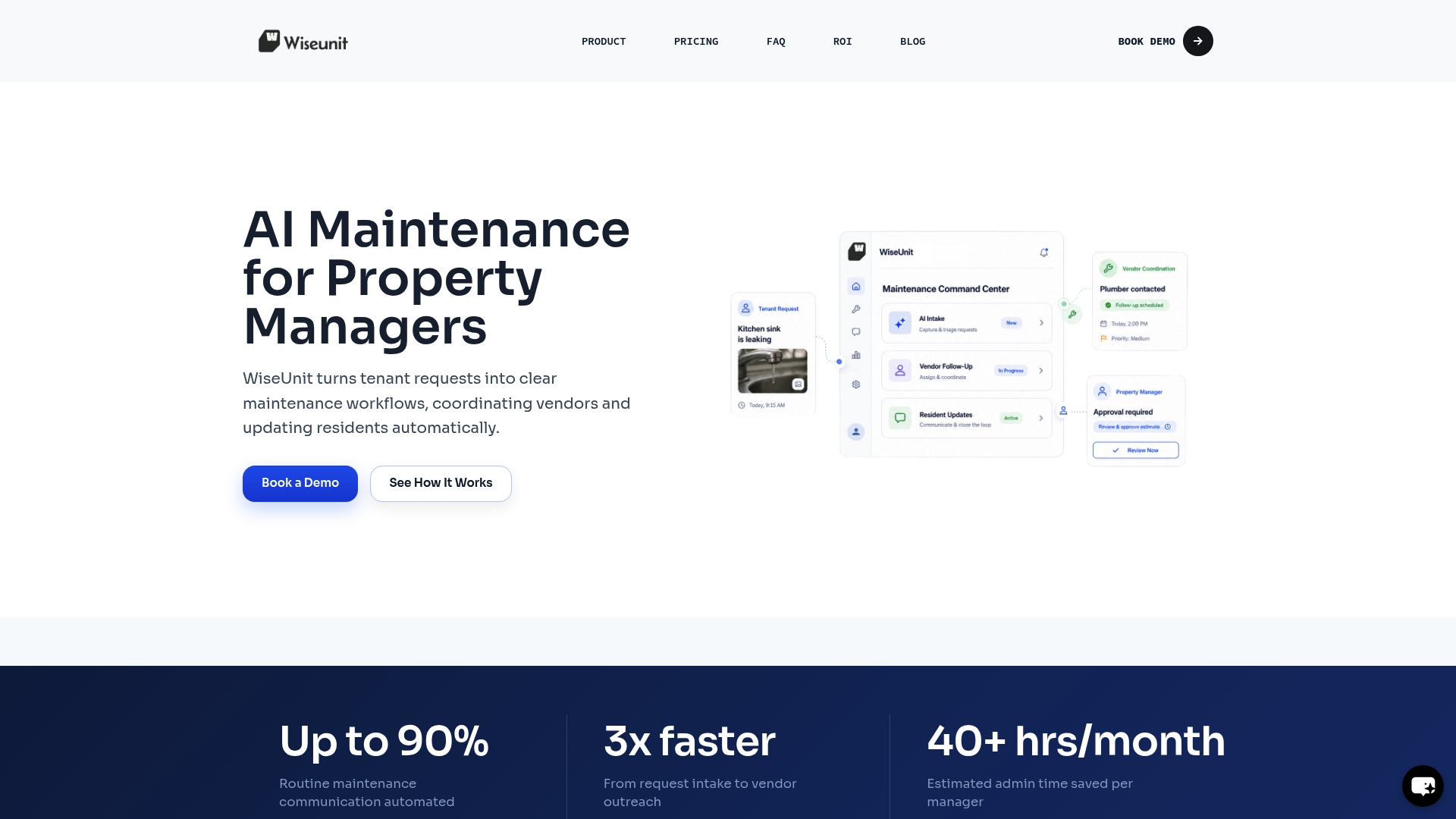
Wiseunit is an AI-powered maintenance coordination platform built specifically for property managers handling high volumes of requests. It handles tenant intake, issue triage, vendor coordination, scheduling, and status updates inside tools like AppFolio, Buildium, and Yardi. Instead of tracking tickets manually, Wiseunit executes the workflow from the first request to final close-out. If you're ready to see what that looks like in practice, explore Wiseunit's maintenance platform or run your numbers through the ROI calculator to estimate your time savings.
FAQ
What fields should a home maintenance log include?
A home maintenance log should include date, property/unit, category, task description, cost, parts used, receipt reference, next due date, and notes. These fields capture both operational history and documentation for warranty or insurance purposes.
How often should I review my diy maintenance tracker?
Review your tracker quarterly at minimum. A quarterly review catches overdue tasks, flags open repairs that have stalled, and helps you spot systems that have gone too long without service.
Can I use a spreadsheet as a diy property maintenance tracking setup?
Yes. A spreadsheet with the right fields is effective for landlords managing up to 10 units. Google Sheets works well because it's free, accessible from any device, and supports conditional formatting to highlight overdue tasks.
How do I track maintenance for multiple properties?
Use separate tabs within a single spreadsheet, one tab per property. This keeps data organized while allowing you to review everything from one file. For larger portfolios, a structured work order system with status tracking improves visibility across units.
Why does tracking receipt references matter?
Receipt references let you pull proof of service instantly when a warranty claim or insurance dispute requires documentation. Storing the invoice file name directly in your log creates a direct link between the maintenance record and the financial proof.