
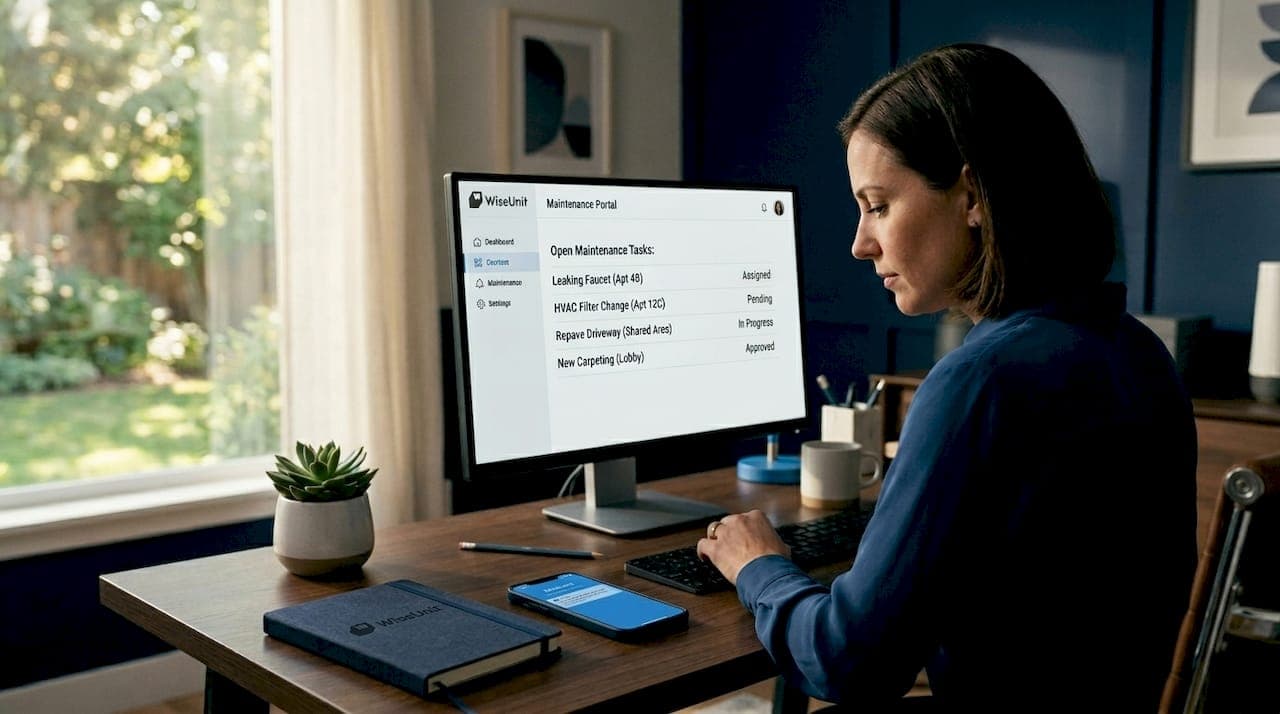
Most property managers who use Buildium for their portfolios are only scratching the surface of what the platform can do. The buildium maintenance workflow explained in this article goes well beyond the basics. Many teams use Buildium to log requests and call it done, missing the structured path from tenant submission to paid vendor bill that the platform is actually built for. If your maintenance process still feels chaotic, with missed follow-ups, confused vendors, and tenants wondering what happened to their request, the problem often isn't your team. It's the workflow.
Table of Contents
- Key Takeaways
- Buildium maintenance workflow explained: from request to resolution
- Work orders and vendor coordination in Buildium
- Managing bills and payments for maintenance costs
- Advanced automation beyond native Buildium features
- Daily best practices and pitfalls to avoid
- My take on what actually makes Buildium work
- How Wiseunit takes Buildium workflows further
- FAQ
Key Takeaways
| Point | Details |
|---|---|
| Requests become trackable tasks | Tenants submit via the Resident Center portal, creating tasks with status, due dates, and communication logs. |
| Tasks and work orders are different | Tasks track the issue; work orders manage vendor communications and billing. Confusing the two causes delays. |
| Billing links to properties and GL accounts | Every vendor bill should connect to a specific property, GL account, and work order for accurate expense tracking. |
| Automation cuts coordinator time significantly | Integrating webhooks and external tools can reduce coordinator time by 40-60% for portfolios of 100 or more units. |
| Communication speed drives tenant retention | Acknowledging requests within 24 hours and providing scheduling updates measurably improves tenant satisfaction. |
Buildium maintenance workflow explained: from request to resolution
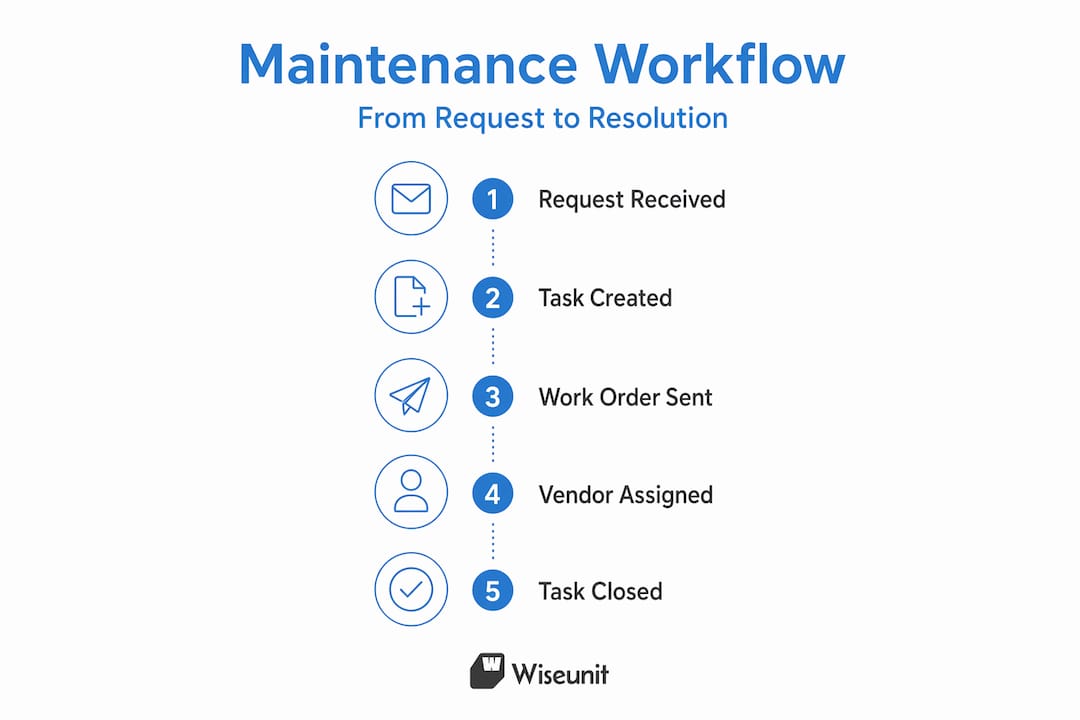
The Buildium maintenance process starts the moment a tenant notices a problem. Through the Resident Center portal, tenants can submit requests with photos and grant or deny entry permissions. That submission automatically generates a task inside Buildium, giving your team a centralized record of the issue right from the start.
Each task carries several key properties that make tracking straightforward:
- Status: Open, in progress, or completed. Keeping status current is how you monitor your whole portfolio at a glance.
- Due date: Sets expectations internally and helps you prioritize when multiple requests compete for the same vendor.
- Communication log: Every message sent through the task thread is stored, creating an audit trail you can reference if a dispute arises.
- Photos and attachments: Tenants can upload images directly, and your team can add more during the repair process.
Not every request will come through the portal. Some tenants call, others text, and a few will knock on your door. Buildium lets you create tasks manually for any resident or property owner who cannot submit digitally. This matters because if a request exists only in someone's inbox or memory, it is invisible to your workflow.
Pro Tip: Set a task creation rule for your team: if a maintenance issue is mentioned by any channel, a task must exist in Buildium within the hour. No task means no accountability and no paper trail.
Work orders and vendor coordination in Buildium
Here is where many property managers get confused, and where the Buildium maintenance process has the most depth. Tasks and work orders are distinct objects within the platform. A task represents the maintenance issue itself. A work order is the document you send to a vendor to authorize and manage the repair.
Think of it this way: the task is the problem, and the work order is the solution being executed. Work orders link directly to tasks and carry all the information a vendor needs: scope of work, scheduling details, property access instructions, and billing expectations.
| Feature | Task | Work order |
|---|---|---|
| Purpose | Track the issue | Manage vendor execution |
| Linked to | Tenant, property | Vendor, task |
| Contains | Status, notes, photos | Scope, schedule, billing |
| Visible to | Your team | Vendor and your team |
Creating a work order in Buildium is straightforward once your vendor list is current. You assign the work order to a specific vendor from your database, and Buildium can send automated notifications with communication templates you define. Vendors receive the details they need without a phone call from your coordinator.

Vendor profiles in Buildium deserve more attention than most teams give them. You can store license numbers, insurance certificates, payment preferences, and mark each vendor as 1099-eligible for year-end tax reporting. Tracking payment history within the vendor profile also helps you evaluate performance over time, which is useful when deciding whether to renew a vendor relationship.
Pro Tip: Review your vendor list quarterly. Outdated contact info and expired insurance certificates are the fastest way to create compliance headaches when a repair goes wrong.
For property managers looking to understand how automation can extend this process, the article on automating maintenance across platforms covers how Buildium integrates with broader coordination tools.
Managing bills and payments for maintenance costs
Once a vendor completes the work, the financial side of the Buildium maintenance workflow begins. Buildium allows you to record bills directly in the accounting module, and you do not need a work order to do it. However, linking bills to work orders is a best practice because it keeps your expense tracking connected to the actual repair record.
Every bill you record should include the following:
- Invoice date and due date: Critical for managing cash flow and avoiding late payments.
- Vendor name: Pulled from your vendor database, which also keeps the 1099 tracking accurate.
- Property charged: Allocates the expense to the correct property for owner reporting.
- GL account: Maps the cost to the right category in your chart of accounts, such as plumbing repairs or HVAC maintenance.
- Payment method: Buildium supports check, electronic funds transfer (EFT), and Buildium's check printing feature.
For teams managing larger portfolios, unlinked bills create a real problem at the end of the year. When an owner asks why their plumbing expenses doubled, you need to trace those costs back to specific repair events. Bills that float in accounting without a work order connection make that trace far more difficult.
The property maintenance workflow article from Wiseunit goes deeper on expense allocation strategies if you want to build tighter financial controls around your maintenance operations.
Advanced automation beyond native Buildium features
Buildium's native tools handle the workflow well for smaller portfolios. Once you cross 100 units, the manual coordination volume can exceed what a single coordinator can realistically manage. This is where external automation becomes worth the investment.
Buildium exposes maintenance requests via webhook, which means external platforms can receive real-time notifications every time a request is created or updated. From there, automation can take over several steps that coordinators currently handle manually. Here is how a practical automation layer looks in sequence:
- Request intake: A tenant submits a request through the Resident Center, by SMS, or by phone. The webhook fires and your automation platform receives the event.
- Issue triage: The automation scores the request by urgency, using categories like water intrusion, HVAC failure, or cosmetic issue. Emergency requests route immediately; non-urgent ones queue appropriately.
- Vendor matching: Based on the issue type, location, and vendor availability, the system identifies the right vendor and sends an assignment notification automatically.
- Tenant acknowledgment: The tenant receives a confirmation message within minutes, not hours. This single step has the largest impact on perceived responsiveness.
- Scheduling coordination: The vendor confirms availability, the system proposes a time window to the tenant, and both parties receive calendar-style confirmations.
- Status sync back to Buildium: As the work order progresses, status updates write back into the Buildium task so your record stays current without manual entry.
- Follow-up and closure: After the repair, the system sends a satisfaction check to the tenant and prompts the coordinator to close the task and record the bill.
Automation workflows using priority scoring and vendor matching reduce manual coordination time significantly. For teams that implement this approach, the efficiency gains show up quickly.
Pro Tip: Do not automate everything at once. Start with tenant acknowledgment messages and vendor assignment notifications. Those two steps alone eliminate the most common complaints: "Nobody told me anything" and "I had to call three vendors myself."
For portfolios under 50 units, Buildium's native tools are often sufficient. The overhead of managing integrations only makes sense when the volume justifies it.
Daily best practices and pitfalls to avoid
Even with a clear understanding of the Buildium maintenance process, daily habits determine whether the workflow actually functions. These are the most common mistakes teams make, and how to avoid them:
- Confusing tasks with work orders: Misunderstanding these two objects is the most frequent source of tracking failures. Tasks get closed when work orders are still open, or work orders are created with no task linkage, breaking the audit trail entirely.
- Leaving task status stale: A task sitting at "open" for three weeks tells you nothing. Update status every time there is a meaningful development, even if it is just "waiting on vendor availability."
- Skipping tenant updates: Tenants who receive no update within 24 hours escalate to phone calls, emails, and negative reviews. A brief message confirming you received the request costs 30 seconds and buys you significant goodwill.
- Incomplete vendor profiles: Missing insurance certificates or outdated contact information creates liability and delays. This is especially problematic for 1099 reporting if a vendor's tax ID is not on file.
- No approval thresholds: Set a clear policy for what repairs require owner approval before a work order is issued. Without it, coordinators either over-approve and create financial surprises, or under-approve and delay urgent repairs.
- No prioritization system: Not every request is equal. Water leaks and HVAC failures in winter need same-day responses. Cosmetic repairs can wait. Build a simple priority tier into your triage process, even if it is just high, medium, and low.
Consistent execution of these practices reduces the chaos that accumulates in high-volume portfolios. The goal is not a perfect system. It is a predictable one.
My take on what actually makes Buildium work
I have seen property managers spend weeks configuring Buildium and still end up with a broken maintenance process. The platform is capable. The gap is almost always in how teams understand the relationship between tasks, work orders, and bills, and whether they actually update records as things happen.
What changed my perspective on Buildium for property managers was watching a 200-unit portfolio cut their coordinator's after-hours calls by more than half, not through any integration, but simply by turning on automated tenant acknowledgment messages and enforcing a 24-hour status update rule. The technology was already there. Nobody had activated it.
Where I do think native Buildium features fall short is in the multi-channel communication reality of 2026. Tenants call, text, and submit online. Vendors prefer text. Owners want email summaries. Buildium handles the record-keeping side well but does not automatically bridge those channels. That is the gap where external tools earn their cost.
The other thing I would emphasize is compliance visibility. Every work order you close without a linked bill, every vendor you use without a current insurance certificate on file, is an operational risk. The tracking infrastructure inside Buildium is genuinely good. The discipline to use it consistently is what separates portfolios that scale from ones that stay stuck managing the same chaos at every unit count. Structured processes are not overhead. They are what makes growth possible without burning out your team.
— Laur
How Wiseunit takes Buildium workflows further
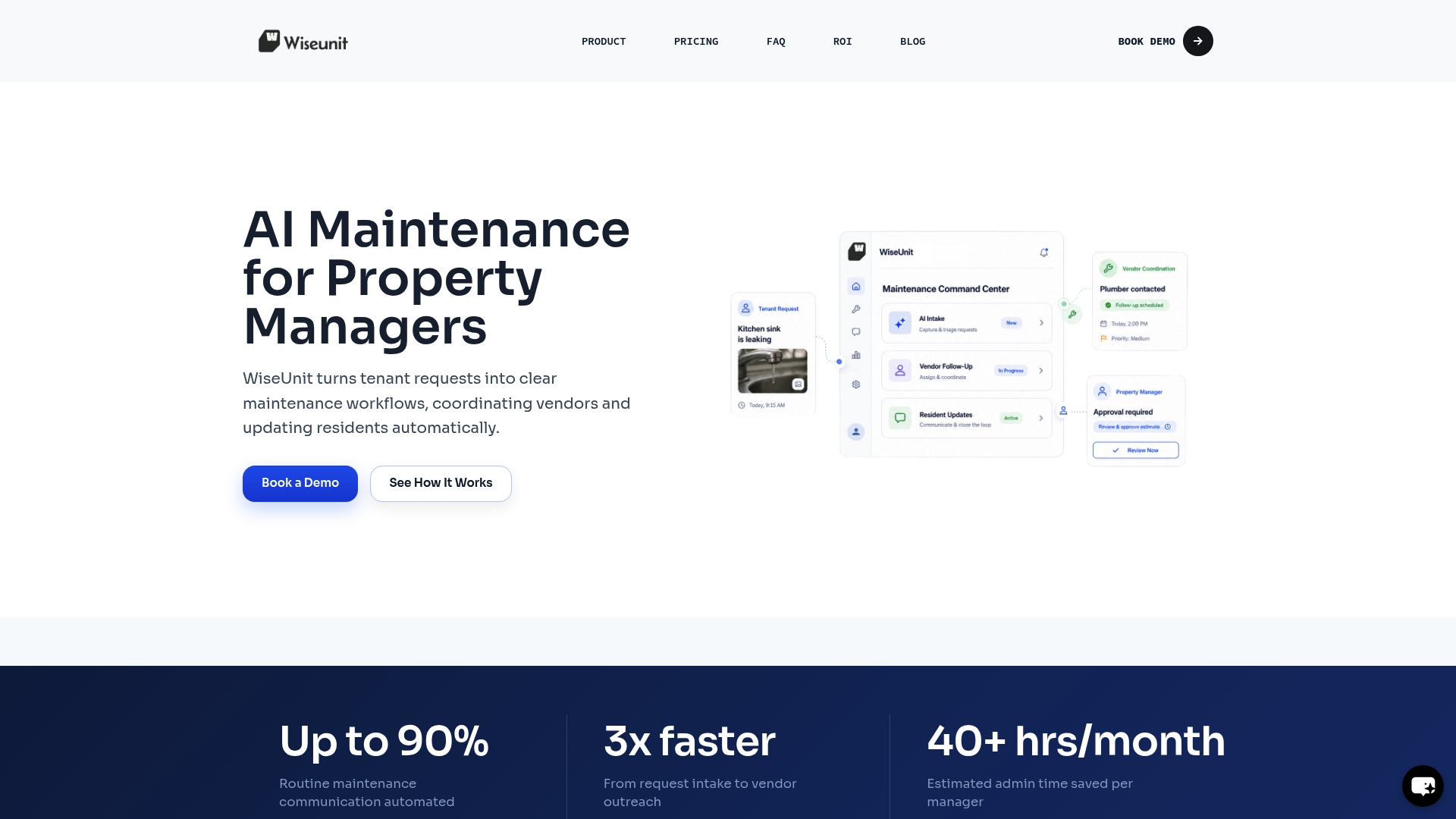
Buildium gives you the structure. Wiseunit gives you the execution. If your team manages more than 75 units and maintenance coordination still requires significant manual effort, Wiseunit's AI maintenance coordination platform connects directly to Buildium to handle tenant intake, vendor dispatch, scheduling, follow-ups, and status updates without adding headcount. Tenants submit through calls, SMS, or online forms. Wiseunit coordinates the workflow and writes updates back into Buildium automatically. Want to know what that saves you in real numbers? The Wiseunit ROI calculator lets you model the time and cost savings for your specific portfolio size and request volume.
FAQ
What is the Buildium maintenance workflow?
The Buildium maintenance workflow is the process that moves a tenant request from submission through task creation, work order assignment, vendor coordination, and final billing. Each stage is tracked inside Buildium with status updates and linked records.
What is the difference between a task and a work order in Buildium?
A task represents the maintenance issue reported by the tenant. A work order is the document created to authorize and manage the vendor's repair work. Proper linkage between the two is what keeps status tracking accurate and billing connected to the right repair.
How do tenants submit maintenance requests in Buildium?
Tenants submit requests through the Resident Center portal, where they can describe the issue, upload photos, and specify entry permissions. Property managers can also create tasks manually for tenants who submit by phone or in person.
When should property managers add automation to Buildium?
Buildium's native features handle workflows well for smaller portfolios. Automation via webhooks and external platforms becomes worth the investment when you are managing 100 or more units and the manual coordination volume exceeds what your team can handle efficiently.
How does vendor management work in Buildium for maintenance?
Vendors are stored in a database with contact information, license details, insurance records, and 1099 eligibility status. Work orders are assigned to vendors directly from this database, and payment history is tracked within each vendor profile for performance and compliance purposes.
Recommended
- Property Management Maintenance Workflow: Step-by-Step Process to Reduce Workload (Toronto, Dallas, Phoenix)
- AI Maintenance Coordination Software for Property Managers | WiseUnit AI
- How Property Managers Automate Maintenance with AppFolio, Buildium, and Yardi
- WiseUnit AI Blog | Maintenance Operations Insights