

Choosing the wrong work order system for your apartment portfolio costs you more than time. It costs you tenants. Property managers who research types of multifamily work order systems before committing consistently report faster maintenance cycles, fewer resident complaints, and less administrative chaos. Yet most articles on this topic stay surface-level, listing software names without explaining what actually separates one system category from another. This article skips the fluff and gives you a clear framework: what criteria matter, what the six main system types do differently, and how to match the right option to your specific portfolio.
Table of Contents
- Key takeaways
- Key criteria for evaluating types of multifamily work order systems
- The six main types of multifamily work order systems
- Comparing system features and operational impact
- Situational recommendations for your portfolio
- My take on what actually makes or breaks these systems
- How Wiseunit AI handles multifamily work order execution
- FAQ
Key takeaways
| Point | Details |
|---|---|
| System types affect operations | Each work order type carries distinct priority rules and reporting logic that changes how your team works daily. |
| Preventive beats emergency | Emergency maintenance costs 3–5x more than planned work, making preventive platforms a strong investment. |
| Tenant intake quality matters | Structured request fields reduce scheduling delays and cut back-and-forth communication loops significantly. |
| Integration is non-negotiable | Systems that connect inspection data directly to dispatch reduce manual handoffs and speed up resolution. |
| Match system to portfolio size | Larger multi-site operations need unit-aware, vendor-aware platforms with separate building queues to avoid routing errors. |
Key criteria for evaluating types of multifamily work order systems
Before comparing system categories, you need a consistent lens. Every system you evaluate should be measured against the same operational criteria, or you will end up comparing apples to oranges.
Here are the six criteria that matter most for work order management in apartments:
- Integration with your property management software. If a work order system does not sync with AppFolio, Buildium, or Yardi, you will create duplicate data entry and reporting gaps. Check whether the integration is native or requires middleware.
- Tenant-facing communication tools. Tenants submit requests with photos and receive automated status updates through branded resident apps in the better platforms. This reduces inbound calls and improves satisfaction scores.
- Automation for routing and scheduling. The system should assign work orders based on trade type, technician availability, and property location without a coordinator touching it manually.
- Mobile access for field staff. Technicians need to view job details, update status, and close tickets from their phones. Systems that require desktop logins slow down your field team.
- Reporting and analytics. You need data on completion times, recurring issues by unit, and planned versus reactive work ratios. Weak reporting means decisions based on gut feeling, not facts.
- Scalability across your portfolio. A system that works for 50 units often breaks down at 500. Look for platforms that support building-specific configurations with separate queues and technician assignments per property.
Pro Tip: Ask every vendor for their planned-to-reactive work ratio benchmark. Best work order systems help you push that ratio above 70% planned. If a vendor cannot explain that metric, move on.
The six main types of multifamily work order systems
Understanding the core categories is the fastest way to narrow your options. A proper CMMS tracks all five major order types separately because each one carries different priority logic, planning requirements, and reporting output. Multifamily adds a sixth category specific to the residential lifecycle. Here is what each type does and where it fits.
1. Corrective maintenance systems
Corrective systems handle reactive repairs: a tenant reports a broken garbage disposal, and the system routes that request to the right technician. This is the baseline function of any work order platform. These systems excel at organizing inbound requests, assigning them, and tracking completion.
The limitation is that they are purely reactive. Without preventive scheduling built in, your team spends its time putting out fires instead of preventing them. Corrective-only platforms are adequate for small portfolios with low maintenance volume, but they do not give you the operational insight needed at scale.
2. Preventive maintenance platforms
Preventive platforms automatically generate work orders on a schedule. HVAC filter changes every 90 days, roof inspections every spring, boiler checks before winter. The system creates the task, assigns it, and tracks completion without anyone having to remember.
Emergency maintenance is 3–5x costlier than planned work. That single fact makes preventive platforms financially compelling. If your portfolio has aging infrastructure or high emergency work order volume, a preventive system pays for itself quickly.
3. Inspection-focused systems
These platforms center on condition assessments: move-in, move-out, annual unit inspections, and common area walkthroughs. They typically include digital checklists, photo capture, and automated report generation.
The challenge is the gap between inspection and action. Many inspection tools flag issues without automatically creating routed work orders. Connecting inspection data directly to dispatch eliminates this gap, reducing delays and preventing issues from getting lost between two systems.
4. Emergency work order management solutions
Emergency systems prioritize and escalate urgent requests: flooding, gas leaks, HVAC failure in extreme weather. They include features like after-hours routing, on-call technician alerts, and real-time status tracking for supervisors.
Emergency work should be a last resort, not a workflow pattern. If your team is processing more than 20% of work orders as emergencies, the system is not the problem. Your preventive maintenance program is. Use emergency platforms as a safety net, not a primary workflow.
5. Project work order systems
Some maintenance jobs are too complex for a single work order. A unit renovation, a roof replacement, or a major appliance upgrade involves multiple trades, sequential tasks, and budget tracking. Project systems handle this by grouping related work orders under a parent job.

These platforms are useful for capital improvement programs and large turnovers. They are not designed for daily maintenance volume, so most property managers use them alongside a corrective or preventive system rather than as a standalone tool.
6. Integrated multifamily lifecycle platforms
The most advanced category unifies reactive requests, preventive scheduling, unit turnovers, and portfolio compliance in one mobile-accessible platform. Instead of juggling three tools, your team works from a single interface that covers the entire maintenance lifecycle.
For teams managing 200 or more units, this category is worth the investment. The operational overhead of stitching together separate systems grows quickly, and the reporting gaps between those systems hide problems until they become expensive.
Comparing system features and operational impact
This table shows how the six system types stack up across the criteria that matter most to multifamily operations.
| System type | Automation | Tenant communication | Mobile access | Best for |
|---|---|---|---|---|
| Corrective | Low | Basic | Varies | Small portfolios, high tenant request volume |
| Preventive | High | Minimal | Most platforms | Aging assets, cost-reduction goals |
| Inspection | Medium | Low | Strong | Turnovers, compliance tracking |
| Emergency | High (escalation) | Real-time alerts | Strong | After-hours coverage, urgent events |
| Project | Low | Low | Limited | Capital improvements, renovations |
| Integrated lifecycle | High | Full resident portal | Strong | Mid to large portfolios, unified operations |
The operational impact of switching from paper or manual routing to digital work order management is well documented. One multifamily case study recorded average completion time dropping from 4.1 days to 1.9 days after moving to automated routing, with no additional headcount added.
Tenant satisfaction is directly tied to response time and communication quality. Platforms that offer automated status updates reduce the number of "what is happening with my request" calls, which frees your leasing and administrative staff for higher-value work.
Pro Tip: Track your emergency work order percentage monthly. If it exceeds 20% of total volume, that is a signal to invest in preventive scheduling, not just better dispatching.
Situational recommendations for your portfolio
The right system depends on your specific operation. Here is a practical way to match system type to your situation:
- You have aging infrastructure or high utility costs. Prioritize a preventive maintenance platform. Schedule recurring tasks for mechanical systems before they fail. The ROI shows up within the first year.
- Tenant communication is your biggest complaint driver. Choose a system with a built-in resident portal and automated request tracking. This single feature shift reduces call volume and improves retention scores.
- You manage multiple sites with separate teams. You need a platform that is unit-aware and vendor-aware with separate queues per property. Shared queues across buildings create routing errors and messy audit trails.
- You handle frequent turnovers or Section 8 inspections. An inspection-focused system or an integrated lifecycle platform handles this better than a corrective-only tool. Look for platforms with digital checklists and automatic work order generation from inspection findings.
- Your team is small and budget is tight. Start with a corrective system that has basic automation and a tenant portal. Many platforms offer tiered pricing based on unit count. You can layer in preventive scheduling as volume grows.
- You manage 300 or more units across multiple properties. An integrated lifecycle platform is the most operationally sound choice. The maintenance workflow across intake, scheduling, vendor coordination, and follow-up becomes unmanageable when split across three or four separate tools.
My take on what actually makes or breaks these systems
By Laur
I have seen property management teams spend months evaluating software features and almost no time thinking about work order categorization. That is a mistake that costs them later.
Work order types fundamentally alter how priority logic runs, how reporting aggregates, and how your team plans its week. A corrective work order and an emergency work order are not the same thing labeled differently. They trigger different workflows, different vendor contacts, and different cost accounting. If your system does not track them separately, your maintenance data is essentially unreadable for planning purposes.
The second thing I see teams underestimate is tenant intake quality. The best dispatch system in the world cannot route a work order accurately if the request says "something is broken in the kitchen." Structured intake fields with required unit number, issue category, urgency level, and entry permission are not convenience features. They are the foundation of an efficient workflow. Every loop your coordinator runs to gather missing information adds a day to resolution time.
My honest advice: do not buy a system for its feature list. Buy it based on how it handles the work order types your portfolio generates most. If 60% of your volume is corrective, invest in the best corrective routing and communication tools you can find. If you run a large portfolio with aging systems, preventive scheduling is where you get your money back.
Integration between inspection and dispatch tools is the area I would watch most carefully in 2026. Teams that have closed this gap report measurably faster resolution times. Teams that have not are still manually copying findings from one tool into another, which creates both delays and errors.
— Laur
How Wiseunit AI handles multifamily work order execution
If you have mapped your portfolio's needs and realize the gap is not in tracking work orders but in actually executing the workflow, that is where Wiseunit is worth a look.
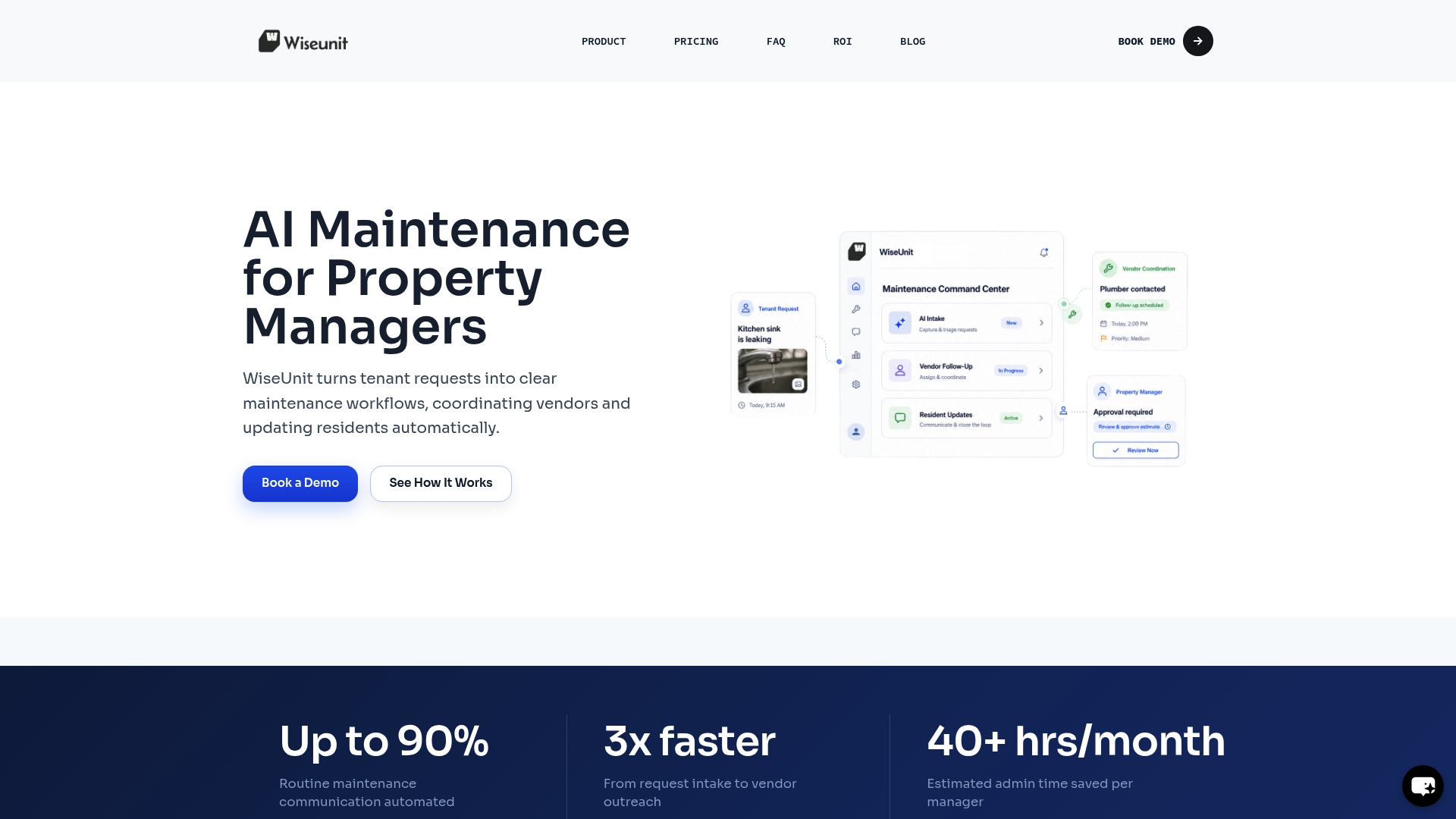
Wiseunit is built as a maintenance execution layer for property management companies. Tenants submit requests by phone, SMS, or online form. Wiseunit's AI triages the request, coordinates with vendors, schedules the work, and sends updates back to the tenant and into your property management system, whether that is AppFolio, Buildium, or Yardi. Your team does not chase status updates or follow up on missing information. The platform handles it. You can explore Wiseunit's AI maintenance coordination capabilities or run your numbers through the ROI calculator to see what reducing manual coordination would mean for your operation.
FAQ
What are the main types of multifamily work order systems?
The six main types are corrective, preventive, inspection, emergency, project, and integrated lifecycle systems. Each handles a different category of maintenance need and carries distinct automation, reporting, and communication features.
How do I choose between preventive and corrective systems?
If your portfolio has aging equipment or high emergency work order volume, start with a preventive platform. Corrective systems work well for lower-volume operations where most requests are tenant-generated and unpredictable.
What system type works best for multi-site portfolios?
Multi-site operations need platforms that are unit-aware and vendor-aware with separate property queues. Integrated lifecycle platforms or advanced corrective systems with building-level configuration handle this best without creating cross-property routing errors.
Why does work order categorization matter operationally?
Work order types change the priority rules, planning logic, and reporting your system generates. Tracking corrective, preventive, and emergency orders separately gives you the data needed to improve your planned-to-reactive work ratio over time.
How does tenant intake quality affect work order efficiency?
Structured intake forms that capture unit number, issue category, urgency, and entry permission allow automatic routing without coordinator intervention. Missing fields create administrative loops that add one to two days to average resolution time.
Recommended
- Property Management Maintenance Workflow: Step-by-Step Process to Reduce Workload (Toronto, Dallas, Phoenix)
- How Property Managers Automate Maintenance with AppFolio, Buildium, and Yardi
- AI Maintenance Coordination Software for Property Managers | WiseUnit AI
- Property Management Company Growth Systems That Scale