

Missed tenant follow-ups, vendors who never got the work order, and maintenance timelines that stretch from days into weeks — these are not isolated incidents. They are symptoms of fragmented operations that cost property management companies real money and real tenants. Case study evidence shows that adopting maintenance and communications automation can dramatically shrink administrative burden and resolution timelines while improving tenant satisfaction. This article gives you a practical, step-by-step playbook for building an operational layer that connects your systems, closes communication gaps, and turns maintenance chaos into a repeatable, measurable process.
Table of Contents
- What is the operational layer and why does it matter?
- Operational layer prerequisites: What you need before setup
- Step-by-step: Building an automated operational maintenance workflow
- Troubleshooting and common mistakes in operational layer setup
- Measuring impact: How automated operational layers drive results
- Beyond the buzzwords: What most executives miss about operational layer transformation
- Next steps: Modernize and scale with the right technology partner
- Frequently asked questions
Key Takeaways
| Point | Details |
|---|---|
| Centralize workflow control | Unify property management systems through an operational layer to close communication gaps and speed up resolution times. |
| Automate end-to-end processes | Automated workflows slash admin burden and maintenance delays, making tenant satisfaction measurable and manageable. |
| Prepare with robust integrations | Build your operational layer on APIs and smart integration points for reliability and future-proofing. |
| Track the right KPIs | Use cost, response speed, and satisfaction metrics to verify the impact of your operational layer investment. |
| Keep solutions simple | Successful automation relies on integration, not adding more platforms—focus on seamless connections. |
What is the operational layer and why does it matter?
The term "operational layer" gets used loosely, so let's define it precisely. In property management, the operational layer is the orchestration hub that connects your maintenance workflows, tenant communications, vendor coordination, and compliance documentation into a single, unified process. It is not a single piece of software. It is the logic and integration that makes every system talk to every other system automatically.
Think about what happens without it. A tenant submits a maintenance request by phone. Your coordinator logs it manually in your property management system. The vendor gets a text. Nobody tells the tenant when the technician is coming. The invoice arrives two weeks later and someone has to match it to the original work order by hand. Every one of those steps is a potential failure point.
Operational technology integration is best understood as the central nervous system between property systems — connecting your property management platform, IoT sensors, tenant portals, and finance tools so data flows automatically rather than through fragmented, manual handoffs. When that integration is absent, you are relying on human memory and manual effort to hold the workflow together.

Here is a direct comparison of what fragmented versus integrated workflows look like in practice:
| Workflow element | Fragmented approach | Integrated operational layer |
|---|---|---|
| Tenant intake | Phone call, manual log | SMS, call, or portal — auto-logged |
| Triage and priority | Coordinator judgment | Rule-based auto-triage |
| Vendor assignment | Manual call or text | Auto-dispatch with scheduling window |
| Tenant notification | Ad hoc, often forgotten | Automated updates at each stage |
| Invoice coding | Manual matching | Auto-coded to work order |
| Documentation | Inconsistent | Auto-generated and timestamped |
The risks of fragmented handoffs are significant. Tenant access instructions get lost between systems. Vendor scheduling windows are never communicated. Status updates fall through the cracks. The result is tenant frustration, repeated calls to your office, and higher turnover. Understanding the difference between software and AI execution is the first step toward choosing the right operational foundation.
"The operational layer is not about adding more tools. It is about making the tools you already have work together without requiring a human to bridge every gap."
Operational layer prerequisites: What you need before setup
Knowing the value, let's make sure your foundation supports an effective operational layer. Before you design or optimize your workflow automation, you need a clear inventory of the systems you currently have and their integration potential.
The four core system categories you need to account for are:
- Property management system (PMS): AppFolio, Buildium, Yardi, or similar platforms that hold unit data, lease information, and work order records.
- Tenant communication channels: SMS, email, phone, and web portals through which tenants submit requests and receive updates.
- Vendor and contractor management: Systems or directories that store vendor contacts, trade categories, availability, and performance history.
- Finance and invoice processing: Tools that handle purchase orders, invoice approval, and cost coding against properties or units.
For teams managing smart buildings or newer multifamily properties, you may also have a building management system (BMS) or IoT sensors. Smart building integration should connect BMS and IoT signals directly into maintenance and compliance workflows, so that a sensor anomaly — a water leak alert, an HVAC fault code — can automatically generate a tracked work order with compliance-ready documentation, without any manual translation.
Here is a quick reference table for core system requirements and the data flows they need to support:
| System | Required data output | Integration priority |
|---|---|---|
| Property management system | Unit ID, tenant contact, lease status | Critical |
| Tenant portal or SMS | Request details, photos, timestamps | Critical |
| Vendor directory | Trade type, availability, service area | High |
| Finance/accounting | Invoice data, cost codes, approval status | High |
| BMS/IoT | Sensor alerts, fault codes, asset data | Medium to high |
Digital documentation is non-negotiable. If your team still relies on paper work orders or unstructured email threads, automation cannot function reliably. Every intake channel needs to produce a structured, timestamped record that downstream systems can act on.
Pro Tip: Before selecting any new automation tool, confirm it supports open APIs or standard integration protocols for your existing PMS. If your PMS cannot share data programmatically, you will spend more time on workarounds than on actual workflow improvement. Review the AI property management platform guide for a detailed breakdown of what to look for, and explore AI tools for property management to compare your options before committing.
Step-by-step: Building an automated operational maintenance workflow
Once your prerequisites are in place, you can architect an efficient operational workflow layer in practice. The goal is a repeatable, error-free work-order lifecycle that runs with minimal manual intervention.
A standardized work-order lifecycle moves from tenant intake through logging, triage, assignment, scheduling, notification, completion, quality follow-up, invoice coding, and final closure with full documentation. Here is how to build that lifecycle step by step:
-
Standardize tenant intake channels. Accept requests via SMS, phone, and web form. Each channel should funnel into a single intake queue with automatic timestamping and unit identification.
-
Auto-log every request in your PMS. The moment a request enters the queue, it should create a work order record in your property management system. No manual entry required.
-
Apply triage rules automatically. Assign priority levels based on issue type. Emergency categories like active leaks or no heat should trigger immediate escalation. Routine requests follow standard scheduling windows.
-
Auto-assign to the right vendor or in-house tech. Use trade category, service area, and availability data to match the work order to the correct resource without a coordinator making calls.
-
Send scheduling confirmation to the tenant. Once assigned, the tenant receives an automated message with the scheduled window. This single step eliminates a significant portion of inbound "status check" calls.
-
Notify the vendor with full context. The vendor or technician receives the work order with unit access instructions, contact details, and any relevant photos or notes from the tenant's original submission.
-
Capture completion notes and photos. On job completion, require the technician to log notes and attach photos directly to the work order. This creates an automatic audit trail.
-
Trigger a quality follow-up to the tenant. A short automated message asking for confirmation that the issue is resolved closes the communication loop and catches any incomplete repairs before the tenant escalates.
-
Auto-code the invoice and close the work order. When the invoice arrives, it should match against the open work order, code to the correct property and cost center, and route for approval without manual intervention.
For a deeper look at each of these maintenance workflow steps, including how to handle exceptions and escalations, the details matter. You can also explore how to automate with AppFolio, Buildium, and Yardi to see exactly how each PMS handles these integration points.
"No gaps in communication or accountability. Every handoff between tenant, coordinator, vendor, and finance must be documented and automated. If a human has to remember to do it, it will eventually be forgotten."
Pro Tip: Use auto-generated work orders for preventive maintenance on a fixed schedule. HVAC filter changes, fire alarm tests, and roof inspections should appear in your queue automatically based on asset records and service intervals, not because someone remembered to create them.
Troubleshooting and common mistakes in operational layer setup
Even with strong design, mistakes happen. Here is how to prepare and what to watch for in daily operations.
The most damaging failures in operational layer setups are not technical. They are process failures that automation exposes rather than creates. Missing handoff details — tenant access instructions, vendor scheduling windows, and status updates — are the edge cases that create missed follow-ups and tenant frustration. Integrated workflows are specifically designed to eliminate these gaps, but only if the underlying data is clean and complete.
The three most common mistakes teams make during setup:
-
Neglecting notification chains. Automation that moves work orders without notifying tenants at each stage is worse than no automation at all. Tenants who receive no updates call your office repeatedly, creating more work, not less. Map every notification touchpoint before you go live.
-
Weak vendor integration. If your vendor directory is not connected to your dispatch logic, auto-assignment fails and a coordinator has to intervene manually. Invest time upfront in building a structured vendor database with trade categories, service areas, and availability windows.
-
Manual data re-entry between systems. If your intake channel does not write directly to your PMS, someone is copying data by hand. This introduces errors and defeats the purpose of automation. Audit every data handoff point and eliminate manual re-entry wherever possible.
For teams managing large portfolios, the stakes are higher. Review your approach to scaling maintenance operations and develop a plan for addressing maintenance backlog before it compounds.
Pro Tip: Schedule a quarterly workflow "fire drill." Simulate a high-priority maintenance request from intake to closure and verify that every automated step fires correctly, every notification reaches the right party, and every record lands in the right system. This takes less than an hour and catches integration drift before it becomes a tenant complaint.
Measuring impact: How automated operational layers drive results
With processes running, you will want to track measurable gains and adjust for maximum ROI.
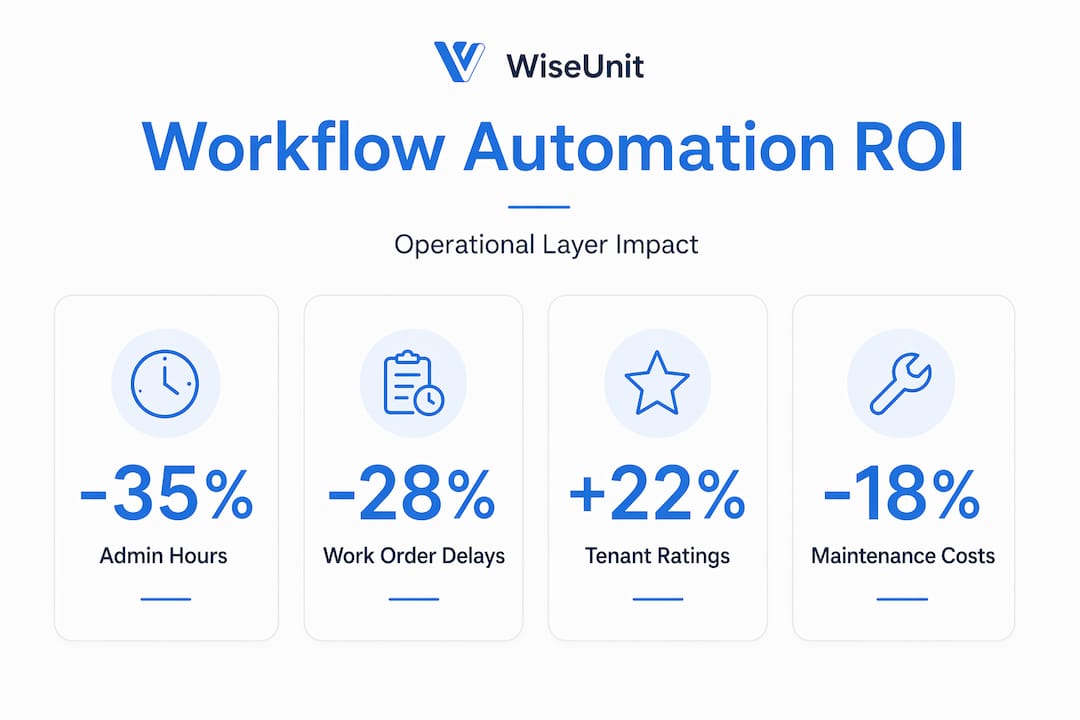
Automation adoption outcomes consistently show large reductions in administrative burden and maintenance timelines, alongside meaningful improvements in tenant satisfaction and retention. Here is what before-and-after performance looks like across common metrics:
| Metric | Before automation | After automation | Typical improvement |
|---|---|---|---|
| Request-to-resolution time | 7 to 14 days | 1 to 3 days | Up to 80% faster |
| Admin time per work order | 45 to 60 minutes | 5 to 10 minutes | 75 to 85% reduction |
| Tenant satisfaction score | 3.2 out of 5 | 4.4 out of 5 | Significant uplift |
| Maintenance cost per unit | Baseline | 15 to 30% lower | Consistent savings |
| Inbound status call volume | High | Reduced by 50 to 70% | Measurable drop |
Key KPIs to track after deployment:
- Request-to-resolution time: The clearest indicator of workflow efficiency. Track by priority tier separately.
- Admin time per work order: Measures how much coordinator time each ticket consumes. Should drop sharply within the first 30 days.
- Tenant Net Promoter Score (NPS): Maintenance experience is one of the top drivers of tenant NPS. Track it quarterly.
- Vendor response and completion rate: Measures vendor reliability within your automated dispatch system.
- Turnover rate: Longer-term indicator. Tenants who receive fast, well-communicated maintenance service renew at higher rates.
Stat to know: In documented case studies, request-to-resolution time has been cut by as much as 91% after full automation deployment. That is not a marginal improvement. It is a structural change in how your team operates.
For a detailed breakdown of how to track and reduce maintenance costs at the portfolio level, the metrics above are your starting point. Set baselines before you deploy, then measure at 30, 60, and 90 days post-launch.
Beyond the buzzwords: What most executives miss about operational layer transformation
Here is the perspective that most vendors and consultants will not give you directly. The majority of operational layer projects that fail do not fail because of bad technology. They fail because the team added more tools without reducing complexity.
There is a common pattern in property management technology adoption. A company identifies a pain point, buys a new platform, integrates it partially, and then adds another tool to fill the gap the first one left. Within two years, the team is managing six or seven disconnected systems, each with its own login, its own data format, and its own failure modes. The operational layer becomes more fragmented than it was before.
Reliable automation comes from unifying systems, not from piling on new platforms. The most effective operational layers we see are built on fewer, better-connected tools — not on the largest possible tech stack.
The overlooked lesson is this: a well-designed operational layer should shrink your technology footprint over time, not expand it. When your PMS, communication channels, vendor management, and finance tools are properly integrated, you eliminate the point-to-point connections that require manual intervention. You do not need a separate tool for every function. You need integration logic that makes your existing tools execute automatically.
Before you evaluate any new platform, use the AI tool selection guide to assess whether a new addition will genuinely reduce complexity or simply add another system to manage. The right question is not "does this tool solve my problem?" It is "does this tool reduce the number of manual handoffs in my workflow?"
The executives who see the fastest ROI from operational layer investments are the ones who start by mapping their current handoffs, identifying the three or four points where work most often stalls, and targeting those specifically. Focused integration beats broad platform adoption every time.
Next steps: Modernize and scale with the right technology partner
Armed with your operational blueprint, here is how to translate strategy into streamlined execution using proven technology.
WiseUnit AI is built specifically to serve as the operational layer for property management companies managing multifamily, single-family rental, and HOA portfolios. It handles the full maintenance workflow from tenant intake through vendor coordination, scheduling, follow-ups, and PMS updates — automatically, without requiring your team to bridge every handoff manually.
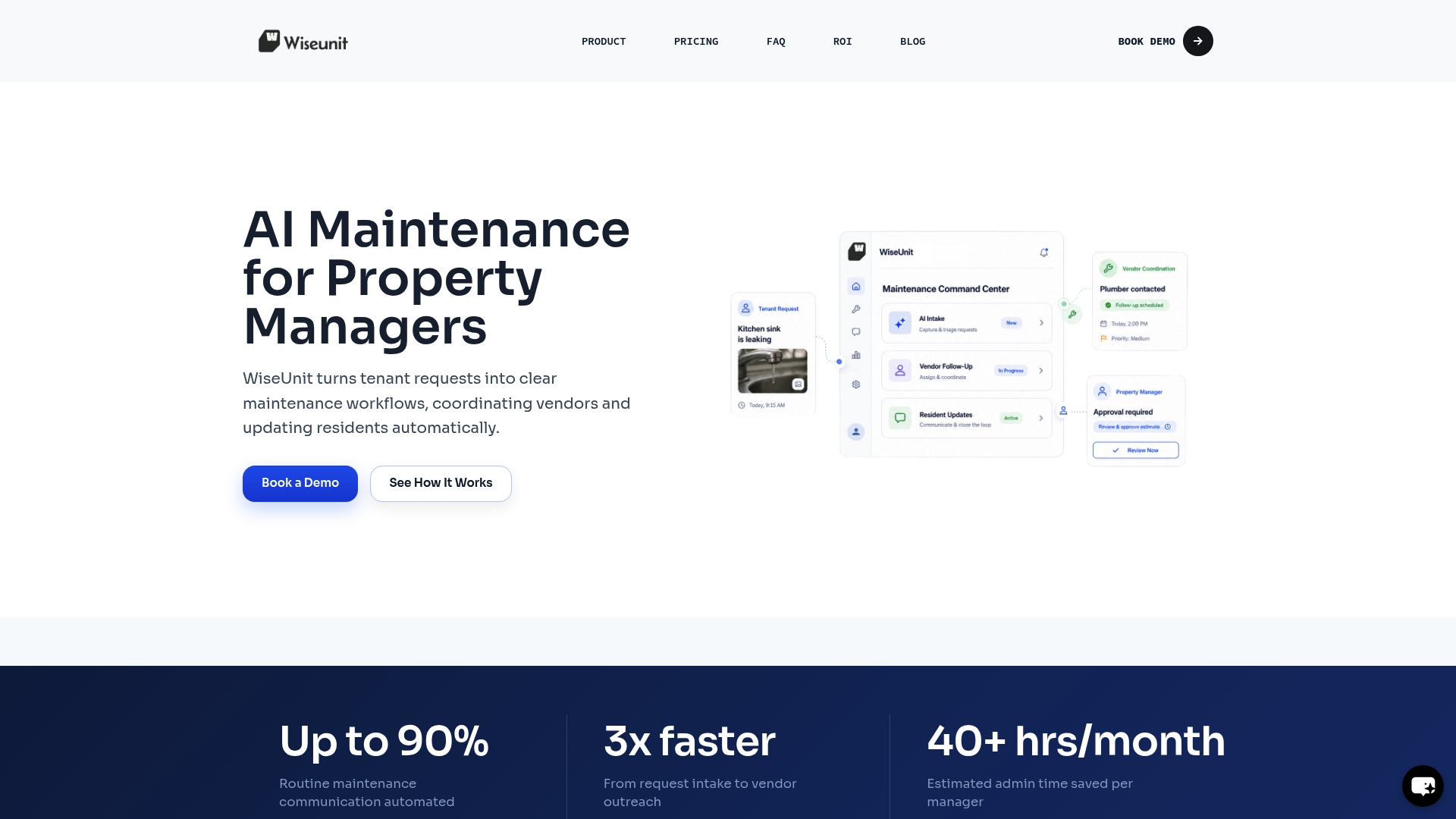
Whether you are running AppFolio, Buildium, Yardi, or another platform, WiseUnit AI connects directly to your existing systems and starts executing workflows from day one. You can start free with WiseUnit AI to see the platform in action with your actual portfolio data. If you want to quantify the impact before committing, use the ROI calculator to model time savings, cost reductions, and tenant satisfaction improvements based on your current unit count and request volume. The operational layer your team needs is closer than you think.
Frequently asked questions
What are the essential systems to integrate in an operational layer setup?
Your property management system, tenant portal, finance tools, and IoT or BMS platforms are the core integrations. Automated data flow between these systems eliminates the manual handoffs that slow down maintenance workflows and create communication gaps.
How does automation reduce property maintenance costs?
Automation reduces admin time per work order, catches issues earlier through preventive scheduling, and improves tenant retention by resolving requests faster. Case study data consistently shows 15 to 30% reductions in per-unit maintenance costs after full workflow automation.
What is the biggest factor in operational layer project failures?
Failing to address missing handoff details between systems — tenant access instructions, vendor scheduling windows, and status updates — is the most common cause of breakdown. Integration gaps, not technology limitations, drive most project failures.
How quickly can results be seen after deploying an automated operational layer?
Most teams see measurable improvements in request-to-resolution time and inbound call volume within the first 30 days. Documented outcomes show that tenant satisfaction metrics follow within 60 to 90 days as the new workflow becomes consistent and reliable.
Recommended
- Property Management Maintenance Workflow: Step-by-Step Process to Reduce Workload (Toronto, Dallas, Phoenix)
- How Property Managers Automate Maintenance with AppFolio, Buildium, and Yardi
- AI Maintenance Coordination Software for Property Managers | WiseUnit AI
- WiseUnit AI Blog | Maintenance Operations Insights