

AppFolio workflow integration explained simply means connecting AppFolio's property management platform to your internal processes and external tools so that maintenance, accounting, and communication tasks move automatically without manual handoffs. Most property managers understand AppFolio as a software platform. Fewer understand how to configure its integration points to actually reduce workload. If you are managing hundreds of units and still manually updating work orders, chasing vendors, or reconciling duplicate data across systems, this guide addresses exactly that. You will learn how AppFolio's core workflows function, where integration works well, and where you need realistic expectations.
Table of Contents
- Key Takeaways
- AppFolio workflow integration explained: core features
- How maintenance process integration actually works
- Accounting integration: what works and what does not
- Common integration challenges and how to fix them
- Getting started: a practical integration checklist
- My take on AppFolio integration after working with property management teams
- How Wiseunit makes AppFolio maintenance work harder for you
- FAQ
Key Takeaways
| Point | Details |
|---|---|
| Integration is more than syncing data | AppFolio workflow integration connects processes end-to-end, not just transferring records between systems. |
| Maintenance workflows are AppFolio's strength | Work order creation, vendor notifications, and priority tracking are built in and reduce manual coordination significantly. |
| Accounting integration has real limits | AppFolio does not offer native real-time sync with QuickBooks; treat AppFolio as your financial system of record instead. |
| Sync failures come from bad unit data | Missing addresses, inactive statuses, and outdated property group assignments are the leading causes of integration breakdowns. |
| AI is changing what integration means | Realm-X and tools like Wiseunit move beyond data sync to actually executing maintenance workflows on your behalf. |
AppFolio workflow integration explained: core features
AppFolio is a property management platform that serves over 8 million units across the US. Its value comes not just from storing data, but from automating the processes that property managers used to handle manually. Understanding appfolio workflows starts with knowing which operational areas the platform actually covers.
Maintenance workflows
Maintenance is where AppFolio does its heaviest lifting. Work orders support creation, priority tracking, owner approvals, and vendor notifications all within a single dashboard. Work order types are categorized as Internal, Resident Request, or Unit Turn, and automated notifications go out via text or email when status changes. This alone eliminates several manual touchpoints that most teams handle by phone or spreadsheet.
The key workflow features you should know:
- Work order creation and routing: Tenants submit requests through the resident portal, and AppFolio logs the request, assigns a category, and sends it to the responsible party.
- Priority levels: You set urgency tiers so that a burst pipe is not treated the same as a burned-out lightbulb.
- Vendor communication: AppFolio sends vendors automated job alerts and allows them to update status directly, keeping your team out of the middle.
- Owner approvals: For jobs above a set dollar threshold, AppFolio routes approval requests to property owners before work begins.
Accounting workflows
On the financial side, automated lease-to-ledger posting, owner distribution, and monthly bank reconciliation are all native to AppFolio. Lease charges post automatically on schedule, owner distributions go out on set dates, and reconciliation pulls directly from connected bank feeds. The platform handles most day-to-day bookkeeping without requiring a separate accounting tool.

Communication and AI tools
AppFolio's tenant portal handles rent payments, maintenance submissions, and direct messaging in one place. The platform also launched Realm-X, an AI-powered system that automates maintenance triage and leasing conversations. Realm-X represents a meaningful shift: rather than waiting for a person to act on data, the system takes steps on its own.
Pro Tip: Enable automated text notifications for work order status changes from day one. Tenants who receive updates stop calling your office, which frees your team for higher-priority coordination tasks.
How maintenance process integration actually works
When property managers talk about appfolio process integration for maintenance, they usually mean one of two things: using AppFolio's built-in automation or connecting AppFolio to an external tool that handles execution. Both approaches require some configuration, and both have genuine tradeoffs.
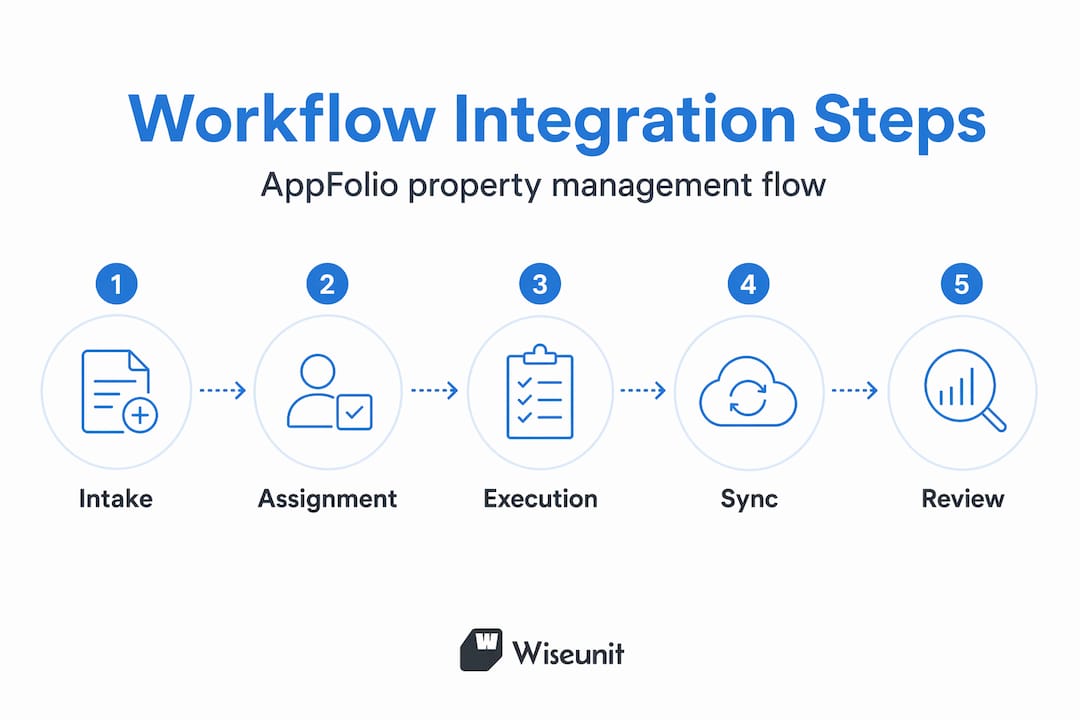
Here is how a properly integrated maintenance workflow runs step by step:
- Tenant submits a request through the resident portal, SMS, or a call that gets logged into AppFolio as a new work order.
- AppFolio categorizes and routes the request based on type and priority level you configured during setup.
- Vendor receives an automated notification with job details, unit access instructions, and scheduling options.
- Vendor updates the work order status upon completion, which triggers an automated tenant notification.
- The work order closes, and costs are posted to the unit ledger automatically.
This five-step flow works cleanly within AppFolio when the system is properly configured. Where it breaks down is at step one and step three. Many teams receive requests outside AppFolio (phone calls, texts, emails) and then manually create the work order, which reintroduces human delay. Similarly, vendors who are not enrolled in AppFolio's vendor network fall off the automated path.
For teams without full API access, browser automation can export and sync maintenance data directly from the AppFolio web interface. This is a practical workaround for triggering rent roll exports, syncing work orders, and pulling tenant data on lower subscription tiers where the API is restricted.
You can also read how property managers handle maintenance automation across platforms like AppFolio, Buildium, and Yardi to understand where each tool has gaps.
Pro Tip: Keep a dedicated intake channel for maintenance requests and route everything through AppFolio from the start. Every work order created outside the system is a sync failure waiting to happen.
Accounting integration: what works and what does not
Accounting is where many property managers run into trouble when trying to integrate AppFolio with external financial tools. The expectation is often a live, two-way sync with QuickBooks or a similar platform. The reality is different.
| Feature | AppFolio native | External sync (QuickBooks) |
|---|---|---|
| Lease-to-ledger posting | Automated | Manual import required |
| Owner distributions | Automated | Requires export-import |
| Bank reconciliation | Built-in | Separate reconciliation needed |
| Real-time data sync | Yes (internal) | No native real-time sync |
| Chart of accounts customization | Supported | Separate setup required |
AppFolio does not provide native real-time two-way sync with QuickBooks. Data movement between the two platforms requires exporting from AppFolio and importing into the external system, which creates reconciliation overhead and version control problems. Most firms that try to run both systems in parallel end up with conflicting records.
The advice that consistently holds up from accounting professionals is to treat AppFolio as your single source of truth for financial data. Build your chart of accounts inside AppFolio, use class tracking to segment by property type or region, and generate reports directly from the platform. This eliminates the sync problem entirely.
For portfolios that genuinely need external accounting integration, the practical approach is a scheduled weekly or monthly export workflow rather than attempting live sync. Set a clear reconciliation day, use AppFolio's reporting tools to produce the source data, and import into the external system in a controlled batch.
Pro Tip: Set up class tracking by property type inside AppFolio from the start. It takes an hour to configure and saves dozens of hours when you need segmented financial reports for owners or investors.
Common integration challenges and how to fix them
Knowing appfolio workflow features is one thing. Keeping those features working reliably over time is another. The most common integration failures are not software bugs. They are configuration issues that compound over time.
The leading causes of sync failures are all data quality problems:
- Inactive unit status: Units marked as inactive in AppFolio stop syncing with connected tools. If a unit is offline for renovation and later reactivated, the sync may not resume automatically.
- Missing unit metadata: Units missing valid addresses or active statuses fail to sync properly. Fields like bedroom count, unit number format, and address structure must match what the connected system expects.
- Property group removal: Units removed from property groups stop syncing after 7 days. This happens silently, so you may not notice until a work order fails to appear in an external tool.
- Role and permission mismatches: If the user account tied to your integration lacks the right access level, the connection will pull incomplete data or fail entirely.
Fixing these issues requires a regular data audit, not a one-time setup. Schedule a monthly review of all synced units, check for status changes, and verify that property group assignments match your integration configuration.
On the security side, make sure the AppFolio user account used for any integration has the minimum permissions needed for that task. Broad admin access tied to an integration increases risk if credentials are compromised.
Pro Tip: Create a separate AppFolio user account specifically for each integration with only the permissions that integration requires. This makes it easy to audit access and revoke credentials without disrupting other users.
Getting started: a practical integration checklist
If you are ready to move from understanding appfolio workflows to actually improving them, start here. This is not about configuring every setting at once. It is about identifying which workflows will deliver the most immediate operational impact.
- Audit your current workflow gaps. List every process where your team manually transfers information: work orders logged by phone, vendor updates tracked in a spreadsheet, financial data copied between systems. These are your integration targets.
- Confirm your AppFolio subscription level. API access is gated behind higher tiers. If you are on a lower plan, browser automation may be your practical path to external integration.
- Configure maintenance settings completely. Set work order types, priority levels, vendor notification templates, and owner approval thresholds before connecting any external tool.
- Run a unit data audit. Check that every unit has an active status, a valid address, correct bedroom count, and a current property group assignment.
- Decide on your accounting strategy. Commit to AppFolio as your system of record or define a clear, scheduled export workflow before adding any external accounting tool.
- Enable Realm-X features where available. AppFolio's AI tools for maintenance triage and tenant communication reduce the volume of manual decisions your team makes per day.
- Train your team on the configured workflow. An integration that bypasses your team because they do not know how to use it delivers no value. Spend time on process training, not just technical setup.
For teams managing high volumes of maintenance requests, you may also want to explore AI property management platforms designed to execute workflows that AppFolio tracks but does not fully automate.
My take on AppFolio integration after working with property management teams
I've watched a lot of property management teams overcomplicate AppFolio integration. They spend weeks trying to force a real-time sync with QuickBooks, or they build elaborate third-party automation chains that break the first time AppFolio updates its UI. The teams that get the most out of AppFolio are almost always the ones who resist that urge.
What I've found actually works is treating AppFolio as the operational core and being disciplined about what you connect to it. The maintenance workflow is genuinely strong when it is set up correctly. The accounting module handles what most property management portfolios actually need. The problems appear when teams try to make AppFolio behave like a system it was not designed to be.
The other thing I keep seeing is that the real bottleneck is not AppFolio's features. It is the gap between what AppFolio records and what someone still has to do manually afterward. A work order gets created, but a human still calls the vendor. A tenant submits a request, but a coordinator still triages it. This is where tools like Wiseunit fill a gap that AppFolio was not built to close. Agentic AI operations that execute tasks rather than just track them are the next real shift in how this industry runs.
My advice: get your AppFolio configuration solid first. Then layer in execution tools where the manual work remains. Do not skip to step two because it sounds more interesting.
— Laur
How Wiseunit makes AppFolio maintenance work harder for you
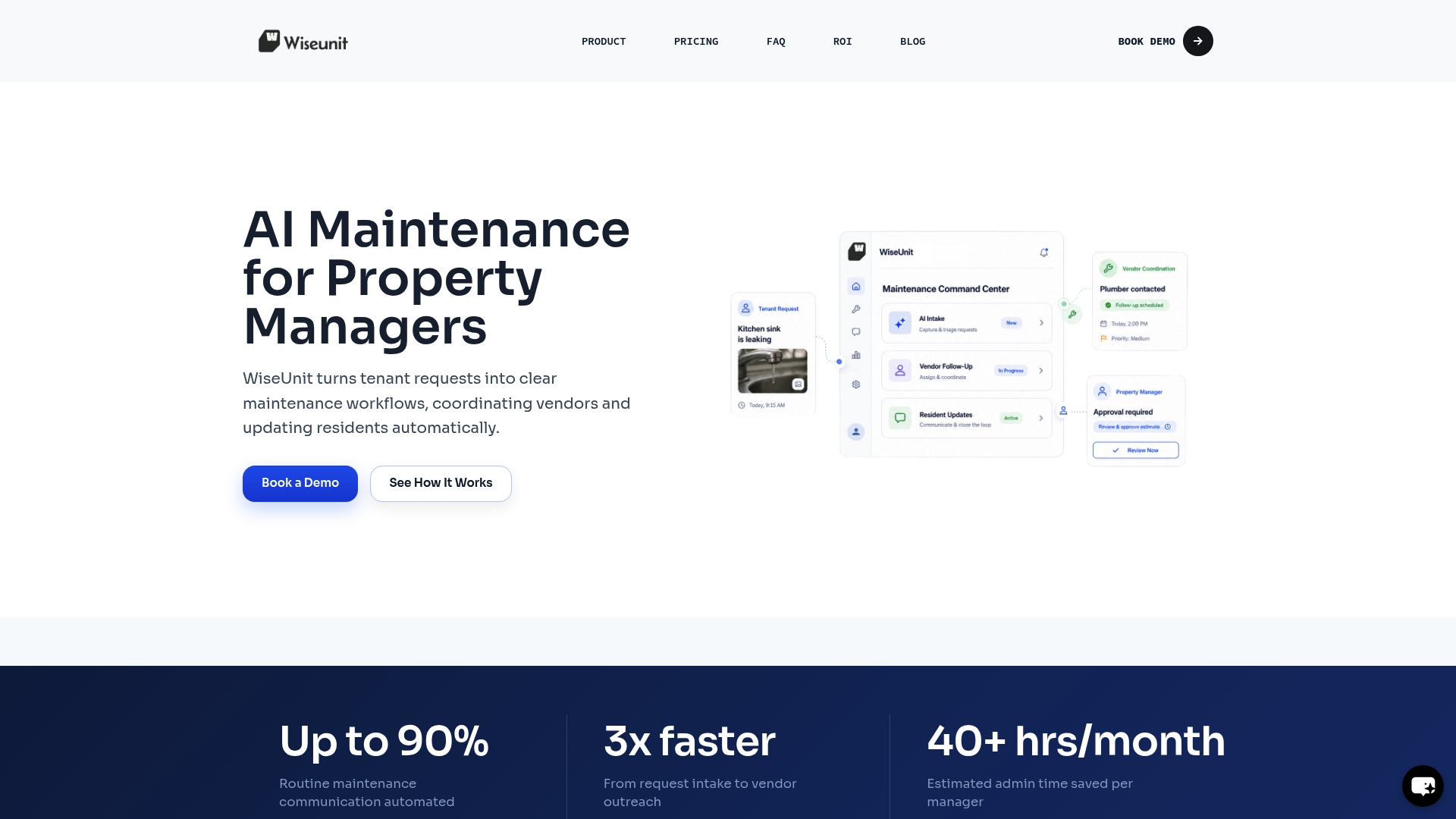
AppFolio tracks maintenance requests well. Wiseunit executes them. When a tenant calls at 9 PM about a leak, Wiseunit handles intake via call or SMS, triages the issue, contacts the right vendor, and logs every step back into AppFolio. Your team wakes up to a resolved work order, not a voicemail.
Wiseunit is built specifically for property management teams managing multifamily, single-family, and HOA portfolios with high maintenance volume. It works alongside AppFolio as an AI maintenance coordination layer that covers the steps between request submission and work order closure. No extra headcount required.
If you want to know what that means for your specific portfolio size and workload, the Wiseunit ROI calculator gives you a concrete estimate based on your unit count and current maintenance volume. You can also explore the full comparison of AI property management tools to see where Wiseunit fits alongside AppFolio in your stack.
FAQ
What does AppFolio workflow integration mean?
AppFolio workflow integration refers to connecting AppFolio's property management platform to external tools or configuring its internal automation so that maintenance, accounting, and communication processes run without manual intervention.
Does AppFolio sync with QuickBooks in real time?
No. AppFolio does not offer native real-time two-way sync with QuickBooks. Data moves through scheduled export-import workflows, which is why most firms use AppFolio as their primary accounting system rather than maintaining parallel records.
What causes AppFolio integration sync failures?
Sync failures most often result from missing unit metadata such as inactive status, missing bedroom counts, or units removed from synced property groups. Regular data audits prevent most of these breakdowns.
How do I automate maintenance workflows in AppFolio without full API access?
Browser automation tools can export rent rolls, tenant data, and maintenance records directly from the AppFolio web interface, making workflow automation possible on subscription tiers where API access is restricted.
What is Realm-X in AppFolio?
Realm-X is AppFolio's AI-powered platform that automates maintenance triage, leasing conversations, and other operational tasks. It moves AppFolio beyond passive data tracking toward executing steps in the workflow automatically.
Recommended
- Property Management Maintenance Workflow: Step-by-Step Process to Reduce Workload (Toronto, Dallas, Phoenix)
- How Property Managers Automate Maintenance with AppFolio, Buildium, and Yardi
- AI Maintenance Coordination Software for Property Managers | WiseUnit AI
- AppFolio vs AI: Why Property Management Software Is No Longer Enough (2026)